


RBX Counters - Get Rbux Calc
3.5103.00 Reviews
App Specs
- Version
- 1.0
- Updated On
- License
- Free
- Downloads
- 5,000,000+
- Developer
- Videos Status Zone
- Categories
- Adventure
- Platform
- Android
Screenshots
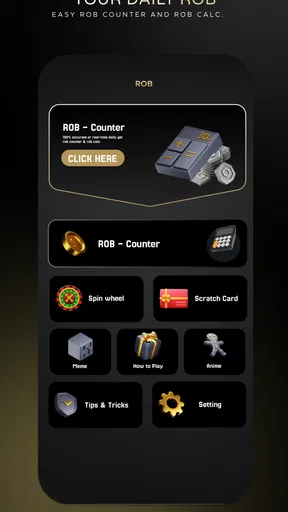
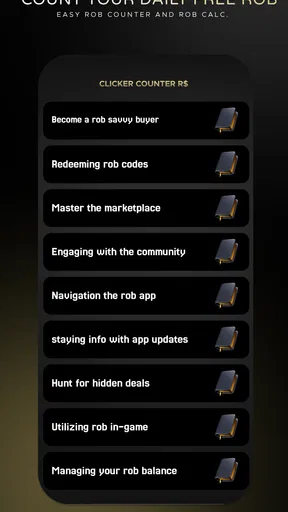
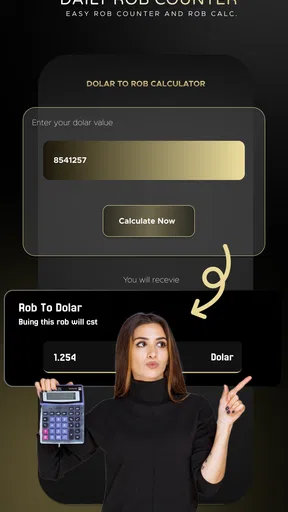
 Analysis by AppCompare
When I’m planning what to spend in Roblox, I’d rather check the numbers than make a quick guess. RBX Counters - Get Rbux Calc is a free adventure game from Videos Status Zone, built around a Robux counter and calculator. Its store summary calls it a way to count Robux, so I see its appeal as a focused helper for players who want to think through a virtual-currency amount before making a decision. It isn’t a substitute for Roblox itself, and I wouldn’t treat a calculator as a way to obtain Robux.
What free access means here
The game is free to install, which makes it easy to try without first deciding whether a paid tool is worth buying. That is the clearest value point: you can see whether a separate counter fits your routine before committing time or money to it. Free access does not, by itself, tell me anything about optional purchases or other costs, so I would avoid assuming that every part of the experience has the same terms.
The listing gives the release date as July 1, 2025, and the current version is 1.0. That makes it sensible to approach the app as a straightforward utility rather than a mature, long-established companion. The minimum Android requirement is version 5.0, and the content rating is Everyone. It has an average rating of 3.3 from around 3,100 ratings, alongside 83 written reviews, and it has reached over 1 million installs. Those figures suggest plenty of people have tried it, but they don’t guarantee that its particular calculation style will suit you.
Using a separate Robux counter thoughtfully
The useful question is not whether a counter sounds handy, but whether it solves a small problem you actually have. If I’m comparing a few possible purchases, a separate place to work through an amount can help me pause and make a more deliberate choice. That is a modest benefit, but it can be valuable for younger players or anyone who tends to spend first and reconsider later.
A practical way to fit it into a routine
Imagine you are browsing Roblox after school and have a limited amount of Robux available. Before choosing an item, you could open the counter, enter the amount you are working with, and use the result as a reminder of your spending limit. Then you can return to Roblox and decide whether the purchase is worth it. I’d treat this as a planning check, not as an account balance: a number entered into a calculator is only as useful as the information you put in.
That distinction is an important habit. A standalone counter should not be confused with an official account connection or a live view of a Roblox wallet. For a dependable balance, I would check Roblox directly. For a quick calculation away from the game, this app may be more convenient, but I would still compare any important figure with the official source before acting on it.
There is also a useful trade-off between convenience and certainty. A dedicated calculator can keep a simple calculation separate from the game and help you focus, while Roblox’s own account screens are the better place to confirm what you truly have. Using both in sequence—plan with the counter, confirm in Roblox—keeps the tool in its proper role and reduces the chance of budgeting from a mistaken entry.
Worth Reading Before You Choose

EA SPORTS FC Mobile 26 Is a Bigger Football Game, but It Takes Time

Flipboard Shows What News Apps Must Do Beyond the Feed

Switching to Android Auto Means Rethinking Your Driving Routine

Google Calendar Makes a Crowded Week Easier to Manage

Ludo King Makes the Most of the Minutes Between Plans

Baby Panda World Brings Quick Play to Modern Phones, but Its Game Library Feels Busy
Where it differs from the usual alternatives
The common alternative is to do the arithmetic mentally, write a figure in a notes app, or simply check the Roblox account and make a decision there. Those options may be enough if you rarely need to calculate anything. A dedicated counter is more appealing when you want a purpose-built place to enter an amount and think before spending, but it has to earn a place on your phone by being clearer or more convenient than those familiar methods.
I would not choose this over Roblox itself for checking ownership, purchasing currency, or confirming a transaction. Nor would I install it expecting a game with quests, levels, or an adventure world just because it is categorized as an adventure game. Its practical appeal is tied to the counter idea, not to a broad set of gameplay activities. That narrow focus is either a plus or a drawback depending on what you expect when you tap the icon.
A small but useful tip is to decide on your budget before opening any item catalog. If you start with a firm limit, a counter can support that choice; if you start browsing first, it may only help rationalize a purchase you already want. Another sensible approach is to enter one amount at a time and keep track of which figure represents your available balance versus a possible spend. That makes your own input less likely to become confusing when you switch between the app and Roblox.
Limits worth keeping in mind
The store summary describes the app as an accurate counter, but I would still verify consequential calculations rather than relying on a claim alone. Calculators depend on the values and assumptions entered, and a number displayed by a separate tool should not be mistaken for an account-confirmed total. This is especially important if you are helping a child manage spending: show them how to check their actual Roblox balance and explain that the counter is for planning.
The current version is 1.0, so I would also keep expectations measured. The rating is middling rather than especially strong, which is a reason to try it for yourself instead of assuming it will be indispensable. A high install count shows reach, not that every user finds the same value. If you only make occasional purchases, the extra app may add a step rather than save one.
There is a broader trust question with any third-party tool associated with an online game. I would use it only for the task it presents itself as handling, avoid entering account credentials into an unrelated calculator, and never treat a promise of free currency as proof that Robux will be delivered. A counter can help organize your thinking; it should not need access to your account to make you feel safer about spending.
Who is likely to get value from it
I can see this being useful for a player who regularly compares possible Roblox purchases, wants a simple budgeting ritual, or helps a younger family member understand that virtual currency is limited. It may also suit someone who likes keeping calculations separate from the game rather than switching between a mental estimate and a purchase screen. Since it is free to install, trying it for that narrow purpose is a low-commitment way to see whether the workflow feels natural.
On the other hand, I would skip it if you expect it to add Robux, sync automatically with your account, or replace Roblox’s official balance and transaction information. I’d also skip it if a calculator is already easy for you to use, or if you prefer to keep your phone uncluttered. A free app still has a cost in attention: another icon and another step are not worthwhile unless they help you make better decisions.
For parents, the most practical use is as a conversation starter rather than a control system. You can sit with a child, set a spending limit together, and show how a calculation can support a choice. The important part remains the discussion and the official account check, not simply handing over a separate counter and assuming it manages spending on its own.
My verdict on the value
RBX Counters makes the most sense as a free, focused aid for players who want to pause and calculate before spending. I like the idea of turning a vague “can I afford this?” moment into a deliberate check, provided the user understands that the app is not an account balance or a source of currency. Its adventure-game category may set expectations that its counter-focused purpose does not meet, so I’d judge it by that practical role instead.
For occasional Roblox players, the built-in account information or a basic calculator may be all they need. For someone who repeatedly plans purchases, this app is worth a cautious try, with official Roblox information remaining the final authority. I’d recommend it only for that limited budgeting use—not as an essential companion, and not as a way to get Robux.
First things first, downloading and setting up RBX Counters - Get Rbux Calc is a piece of cake. Available on both Android and iOS, it took just a few taps to get the app installed and ready to go. The interface is clean, with a straightforward design that even my little cousin could navigate without a hitch. If you’ve ever tried to juggle numbers in your head while playing Roblox, you’ll appreciate how intuitive this app feels right from the get-go.
Features That Make a Difference
One of the standout features of RBX Counters is its accurate Robux calculator. You simply enter the amount of Robux you have, and the app does the rest, helping you plan your purchases with ease. It’s like having a personal accountant for your Roblox adventures! Plus, the app offers insights on how to maximize your Robux, which is super handy if you’re trying to stretch your virtual currency as far as it can go.
What really caught my attention, though, is the in-app tips section. It’s packed with nuggets of wisdom on smart spending strategies within Roblox. Whether you’re a seasoned player or a newbie, these tips can help elevate your game. It’s like having a mentor whispering the secrets of the Roblox world directly into your ear.
Why It Stands Out
So, what makes RBX Counters a must-have for Roblox fans? For starters, its accuracy and ease of use are unparalleled. In a game where every Robux counts, having a reliable tool to manage your currency can make all the difference. Plus, the app is regularly updated, ensuring that it stays relevant and effective in the ever-evolving world of Roblox. It’s not just an app; it’s a companion for every Roblox enthusiast.
Final Thoughts
As someone who loves spending time in Roblox, I can honestly say that RBX Counters - Get Rbux Calc is a game-changer. It takes the guesswork out of managing Robux and adds a layer of strategy to your gameplay that’s both exciting and beneficial. If you’re looking to make the most of your Robux, this app should definitely be on your radar. Give it a try—you might just find it becomes an essential part of your Roblox toolkit!
Pros
- Simple and intuitive interface.
- Quick calculations for Robux.
- No ads interrupting use.
- Low storage space required.
- Supports multiple currencies.
Cons
- Limited to basic calculations.
- No offline functionality.
- Lacks advanced features.
- No tutorial for beginners.
- Only for Robux-related use.
FAQs for RBX Counters - Get Rbux Calc
What is RBX Counters - Get Rbux Calc and how does it work?
RBX Counters - Get Rbux Calc is an app designed to help Roblox players manage and calculate their in-game currency, Robux. It provides tools to track expenses, predict savings, and plan purchases effectively. By inputting your current Robux balance and intended purchases, the app offers insights into your spending habits.
Is RBX Counters - Get Rbux Calc safe to use?
Yes, RBX Counters - Get Rbux Calc is safe to use. It does not require any personal information or access to your Roblox account. The app is purely a calculation tool, designed to assist users in managing their Robux efficiently without any data security concerns.
Does RBX Counters - Get Rbux Calc cost anything to download or use?
RBX Counters - Get Rbux Calc is free to download and use. However, it may offer in-app purchases or ads to support its development. Users can enjoy the primary features without any cost, but premium features might require a small fee.
Can RBX Counters - Get Rbux Calc actually generate Robux?
No, RBX Counters - Get Rbux Calc cannot generate Robux. The app is a calculator and management tool that assists in budgeting and planning your Robux spending. Any claims about generating free Robux should be treated with caution as they may violate Roblox's terms of service.
What devices are compatible with RBX Counters - Get Rbux Calc?
RBX Counters - Get Rbux Calc is available for both Android and iOS devices. It requires Android version 5.0 or higher and iOS 10.0 or later to function smoothly. Users can download it from the Google Play Store or Apple App Store, depending on their device.


